How do I unblock a website on my iPhone?
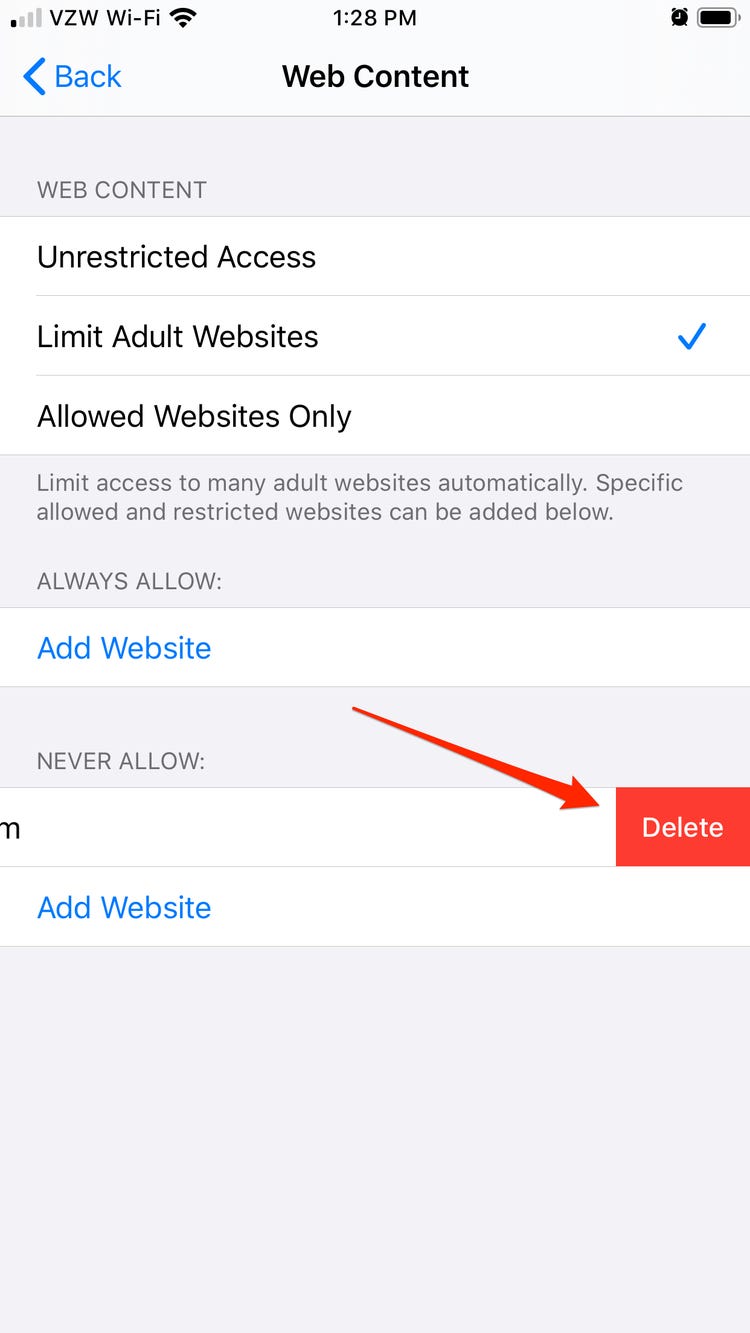
How to Unblock a Website in Safari. Launch Settings app on your iOS device → Screen Time → Content & Privacy Restrictions → Content Restrictions → Web Content. Under Never Allow section, you should see the names of the banned sites. Just Swipe left and hit Delete. How do you unblock certain websites on iPhone? unblock websites manually on iPhone …