How do I change my Mac display 1 and 2?
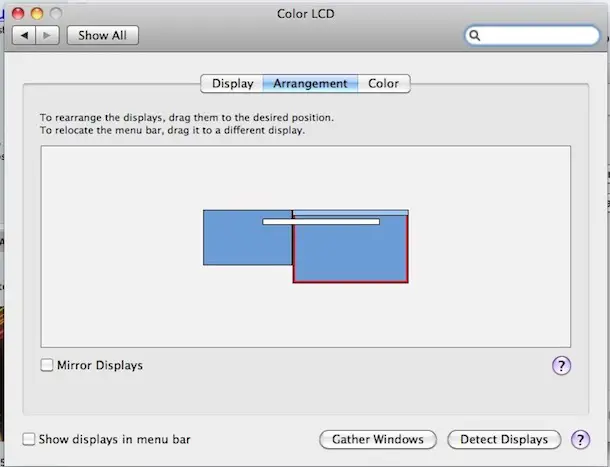
If you’re using a Mac, open System Preferences > Displays > Arrangement – from there you can click and drag the screens to position them as you wish. How do I change my monitor number 1 and 2 on Mac? Go to System Preferences -> Displays. Choose the ‘Arrangement’ tab. Click and hold on the white bar at the top …