Can I disable Windows security notification on startup?
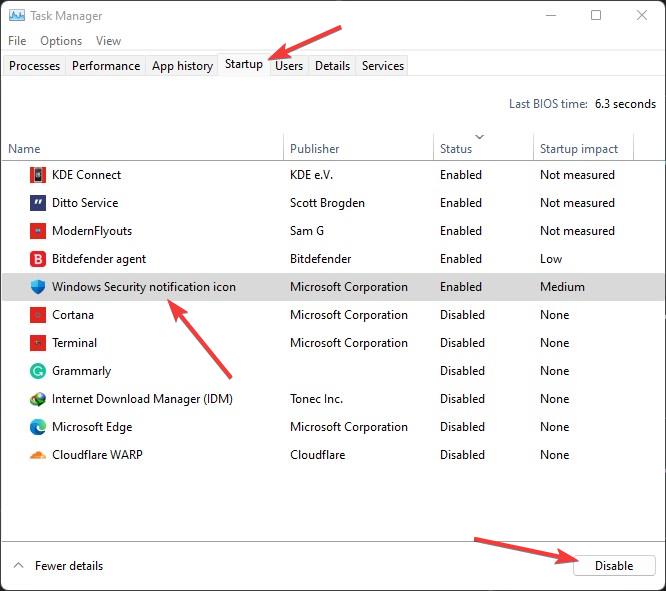
Press CTRL+ALT+DEL and click on Task Manager. Click on the Startup tab. Right-click on Windows Security notification icon. Click on Disable. Can I disable Windows security notification? Open the Windows Security app by clicking the shield icon in the task bar or searching the start menu for Security. Scroll to the Notifications section and select Change notification settings. Slide the …